My First Week with Vertex AI & Gemini
Graduated from KIIT, Bhubaneswar in 2023 with a B.Tech in CS. Did my majors in AI and Computational Mathematics. For me, Covid was a blessing in disguise. I got plenty of time, staying at home, tinkering and building stuff. Tried IoT, App Development, Backend, Cloud. Did a few internships in Flutter in my second year of college. Moved to Full stack, majorly focussing on backend. Single-handedly build a Whatsapp-like video calling solution for a CA based social media company. Teaching was also a passion. So, started up an ed-tech platform with a friend, Sridipto. That's our first venture together - Snipe. Raised some capital from a Bangalore based VC during 3rd year of college. Came to Bangalore. Scaled Snipe to around a million users. But, monetisation was a challenge, downfall of ed-tech making it worse. Had to pivot. Gamification was our core. Switched to B2B model and got some early success. Few big names onboarded - Burger King, Pedigree, Saffola - few of them. Cut to 2024 September, we're team of 20+ team. Business is doing well. But realised scaling is problem. We can't just remain as a Gamification Service company. We thought, let's build something big. Let's Build the Future of Computing. The biggest learning, if you have a big problem, break it up into smaller problems. Divide and Conquer. It becomes a lot easier.
First things first:
If you’re wondering where to begin —
👉 Head to Google Cloud Console → Vertex AI
Over the last few days, I’ve been diving into Gemini and Vertex AI — trying to figure out what’s changed, what’s possible, and how to actually use this stack to build useful stuff.
Spoiler: A lot has changed.
I started out watching some YouTube videos on fine-tuning Gemini, and half the UI references were already outdated. Turns out, Google AI Studio (which used to handle this) now mostly focuses on chat + API keys, while Vertex AI has become the main control room.
So, this blog is the first in a series I’ll be writing while I learn. I’m not an expert — just documenting what I’m trying, what’s working, and what’s breaking. If you’re building with Gemini or exploring Vertex AI, you might find this helpful (or at least relatable).
✅ Step Zero: Setup
Once you're inside the Vertex AI dashboard, the first thing you need to do is click
“Enable all recommended APIs.”
No fancy config required. That one click gets the engine running.
🧭 What You’ll Find Inside Vertex AI (as of now)
Here’s a quick overview of what I’ve explored so far. I’ll be digging into each of these in later posts — this is just a surface-level map to orient myself (and maybe you too).
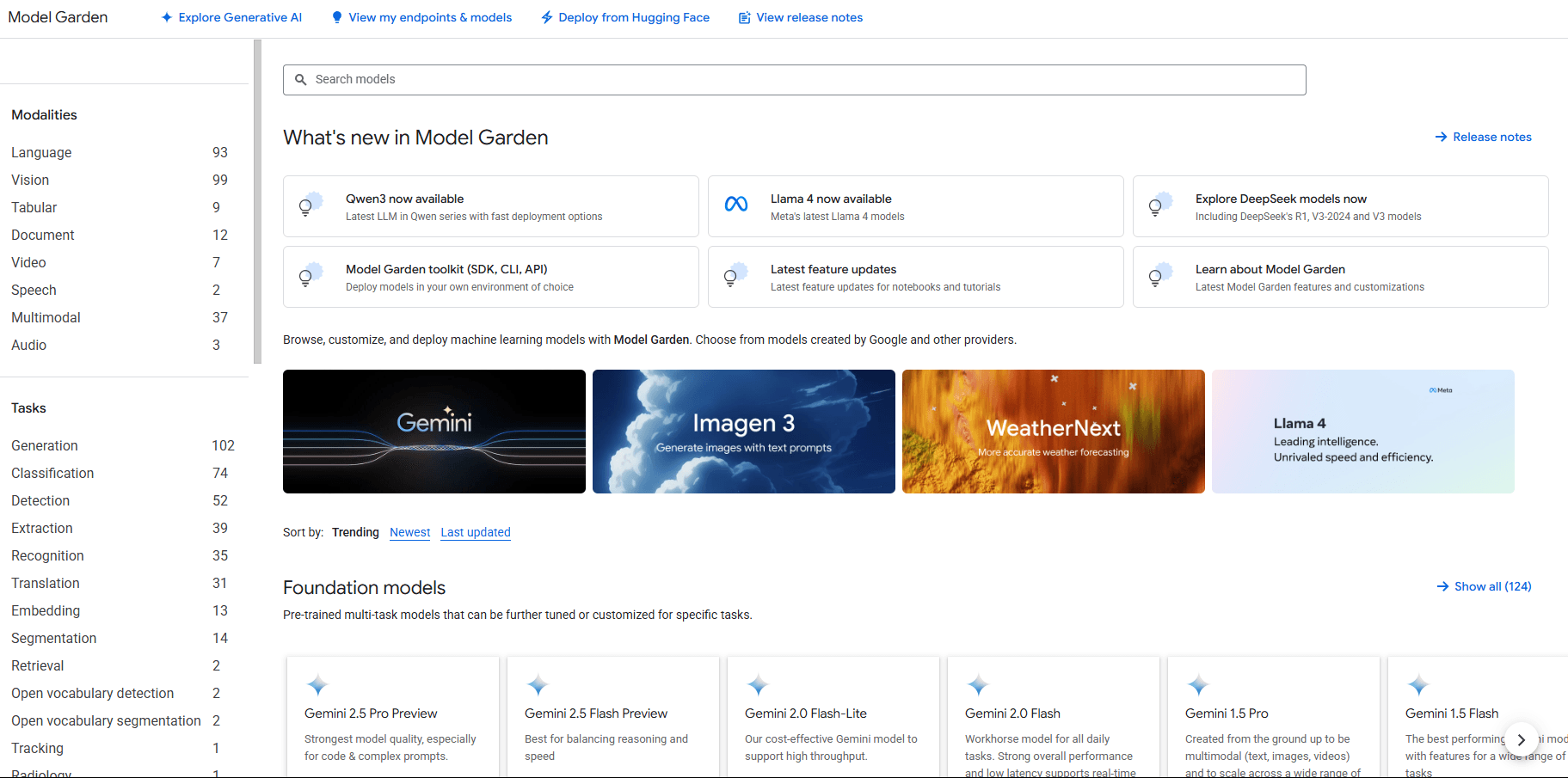
🌱 Model Garden
This is where most of your playing around will start.
You get access to:
Gemini (of course)
Claude (Anthropic)
LLaMA models
DeepSeek
And a ton of open models from HuggingFace
Sadly, no OpenAI (they are “non-profits”)
You can try these out in the UI or deploy them into your own GCP setup.
⚠️ Just be careful with deployments — these models eat credits for breakfast.
🧠 Prompt Management
This one’s underrated.
It’s like a CMS for prompts — super useful if you’re experimenting a lot.
What it helps with:
Version control for your prompts
Decoupling prompts from your code
Performance tracking of different versions
And clean integration into your stack
📚 Prompt Gallery
This feels like a little idea board — a public collection of prompts to:
Learn better prompt writing
Find working examples
Share your own experiments
It’s basically a way to avoid reinventing the wheel, especially when you’re stuck.
🛠️ Finetuning
This is where things get deeper.
You can actually fine-tune models, including Gemini, by feeding in your own data or instructions. I’m still exploring this — but the idea is to shape the model’s behaviour beyond just writing clever prompts.
Expect a detailed post on this soon, as I am currently working on this!
🤖 Agent Garden
Think of this as a library of pre-built agents and toolkits.
Great for inspiration or if you want to fast-track a prototype without starting from zero.
⚙️ Agent Engine
Once you’ve built your agent, this is where you deploy and manage it.
You get:
Fully managed infra
Built-in testing + monitoring
Support for any framework you use
Basically, this takes care of the backend mess so you can focus on logic and UX.
🧾 Datasets
Vertex AI also provides a managed dataset service, so you can store, access, and train on your data directly inside GCP. No bucket shuffling or permission hell.
🧪 Model Development
This covers the full journey — from:
Defining your problem
Prepping data
Training + evaluating
Deploying your model
Whether you’re building an agent, a classifier, or something niche — this is where the actual ML workflow lives.
💡 What’s Next?
This blog was just me getting familiar with the Vertex AI ecosystem.
I’ll be learning finetuning, prompt design, agent workflows, and Gemini-specific tricks next — and documenting all of it as I go.
If you’re exploring this space too, feel free to build alongside. Ping me if you get stuck or figure out something I haven’t covered yet — I would love to include it in future posts.
Follow the Series →
I’ll be publishing everything here on Hashnode as I go. No fluff — just real-time learning, mistakes, and progress.
And maybe at the end of this series, we’ll both have built something cool.